
Turn on system protection for hard disk
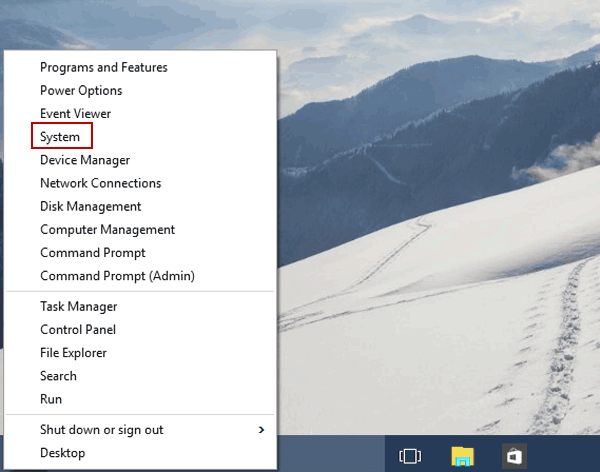
Step 1: Right-click the lower-left corner and open System in the Quick Access Menu.
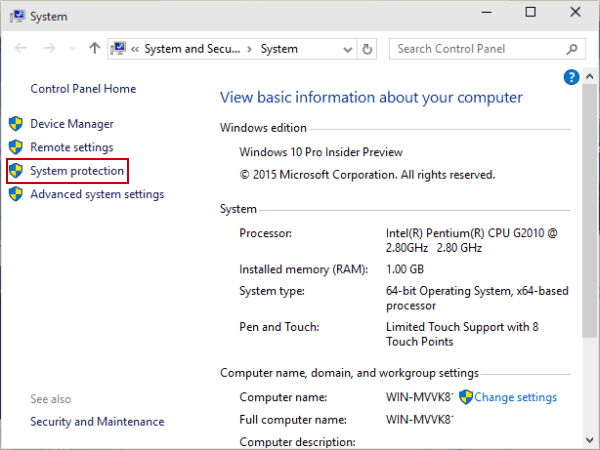
Step 2: Choose System protection on the left.
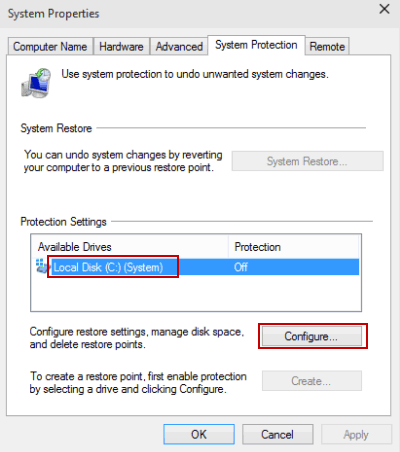
Step 3: Select a hard disk and tap Configure to move on.
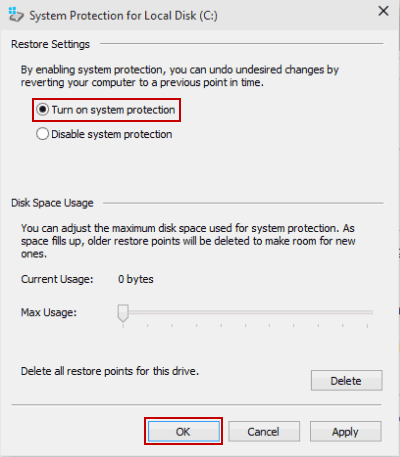
Step 4: Choose Turn on system protection and hit OK.
Turn off system protection for hard disk
Step 1: Open System by Windows+Pause Break and tap System protection.
Step 2: Choose a hard drive and click Configure.
Tip: For illustration of these two procedures, please refer to the pictures of the 2nd and 3rd steps in Part 1.
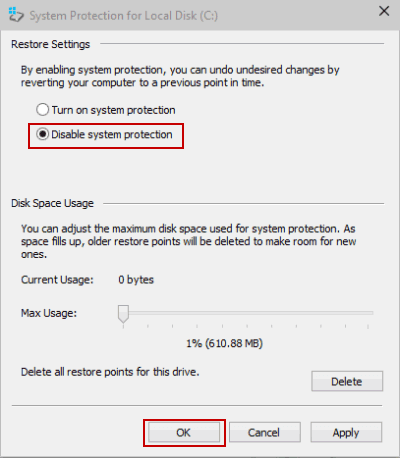
Step 3: Select Disable system protection and hit OK.
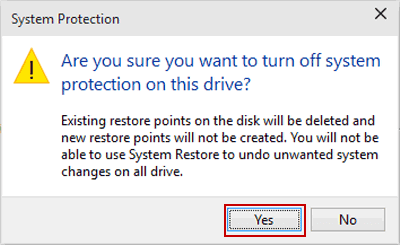
Step 4: Choose Yes to have system protection disabled.
No comments:
Post a Comment